
In addition, you can view information about the links such as their status and last update, the file path, their position in the presentation and which element or chart type has been linked.
Furthermore, you can make changes to the links, refresh, edit or break them.
Number separators for linked shapes and tables can also be set in the Excel link manager window.
To access the Excel link manager, navigate to the group empower and click on the button Excel Link.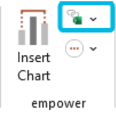
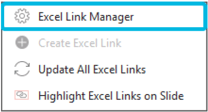
View the Excel Link Manager section of the empower enterprise manual

Please note some features available in the enterprise version may not be available in empower Express.