
- Open the PowerPoint template you wish to be your default (say your company master)
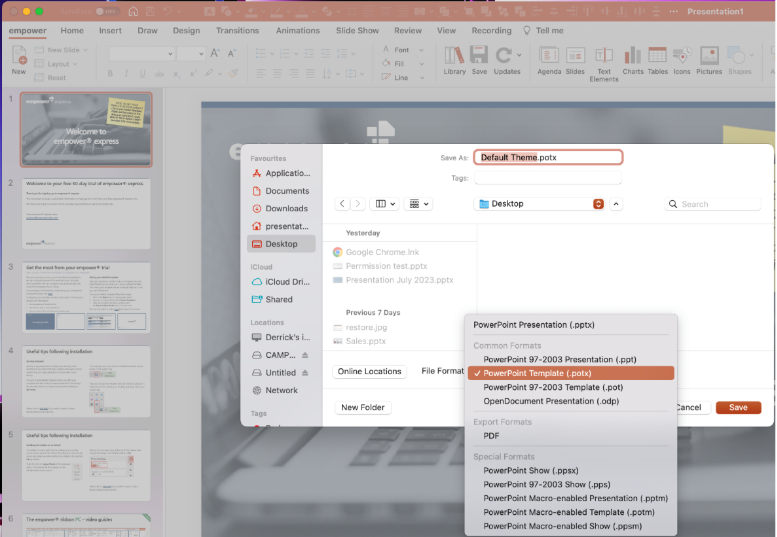
- Save that file to your Desktop and name it “Default Theme.potx” It is important you save it as a .potx file
- Shutdown PowerPoint
- Copy the file you just created called “Default Theme.potx”
- Open a Finder Window and navigate to this location on your Mac (username below in italics is your username for your computer)

- Once at this location paste your “Default Theme.potx” here.

- Restart PowerPoint and test that the correct template opens on start up now.
Explainer video; click here to watch a video on how to do this