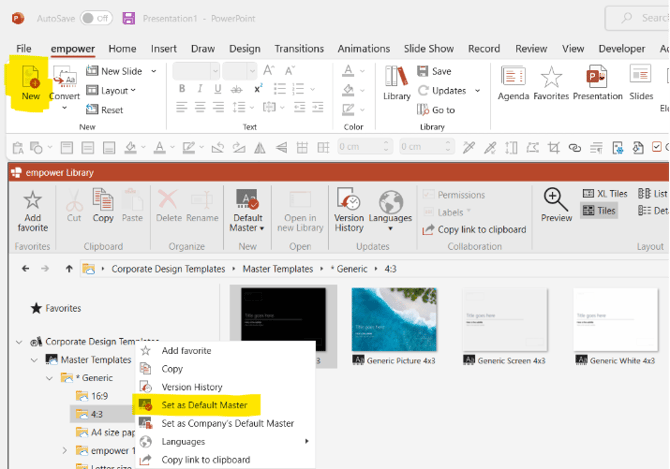
How to set your default empower template (PC) To set your default PowerPoint template via empower®, go to the empower® ribbon > New, then right click on the required template and select Set as Default Master: Explainer video; watch this video to see how to do this