
To insert a data chart, navigate to the group empower and click on the button Insert Chart.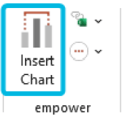
Then, choose one of the chart types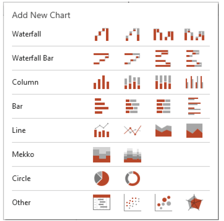
View the Mini Excel section of the empower enterprise manual
Please note some features available in the enterprise version may not be available in empower Express.