
 |
|
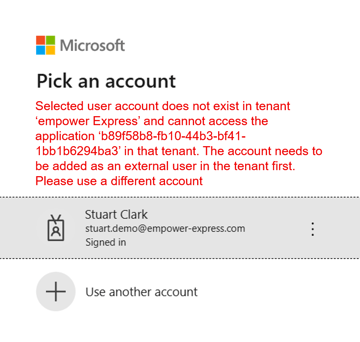
If your account information is still not recognised,this implies that your company’s firewall settings are blocking your connection to the empower® server. Therefore,as a next step, please contact your IT department and ask them to make the below changes to your IT environment:
- Please ensure your computer can access the empower® activation server through your company's firewall. This needs to be allowed for the following URL and all sub-adjacent URLs: https://express.empowersuite.cloud
- Ensure all In-and-Outbound firewall rules are set for Port 443 to reach: https://express.empowersuite.cloud
- Our licensing server is available at the following address: activate.empowersuite.com (IP 13.69.68.8) via Port 443. Please ensure that connection to this address is allowed in your Proxy/Firewall settings
- Please check that your anti-virus system does not block empower
- Disable all webwashers like addblockers (pop-up blocker) temporarily whilst you load empower, which should ensure empower® is able to activate, then re-enable once empower® is enabled.
Once these changes have been made, should you still encounter problems, please click here to book a support call.
 Book a call or a meeting to learn how empower® Express can help you and arrange a demo
 Contact us (support@empower.express) if you have any questions
 Click here to learn more and sign up for a free trial
 Click here to book a call with our technical support team