
To find your log files you need to locate the empower® sync icon in the top Right corner. Click on the empower® sync icon and select “Logs”
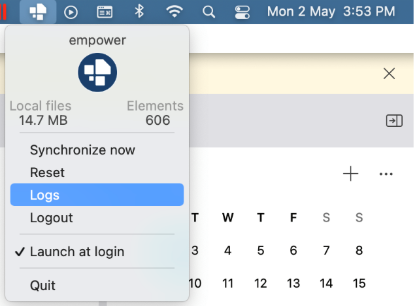
This will take you to this location in Finder on your Mac
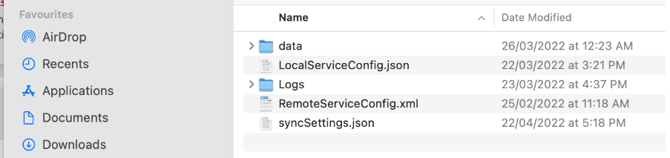
Please zip the “Logs” folder and email to support@empower.express. We can then either diagnose the problem or ask our tech support team to do so.
Explainer video: Click here to watch how to send empower Express support your log files on Mac
 Book a call or a meeting to learn how empower® Express can help you and arrange a demo
 Contact us (support@empower.express) if you have any questions
 Click here to learn more and sign up for a free trial
 Click here to book a call with our technical support team