
empower® Express offers five main tools that simplify and streamline the process of creating new PowerPoint slides while also reinforcing your brand, resulting in effective and successful slides and presentations.
empower® slide creation tools
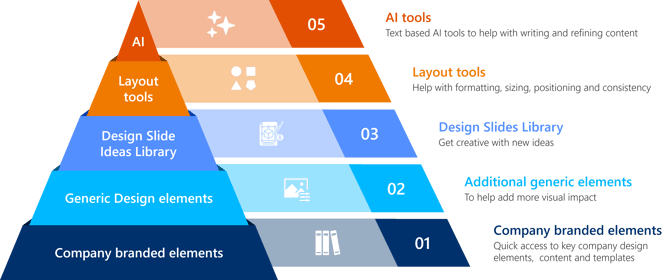
01. Company branded elements
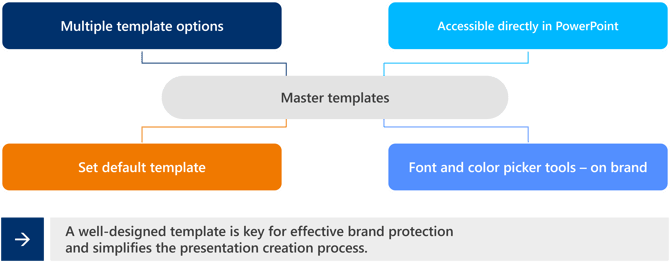
Master templates
|
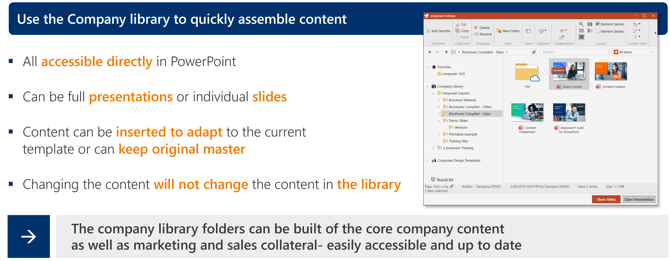
Company library folders
|
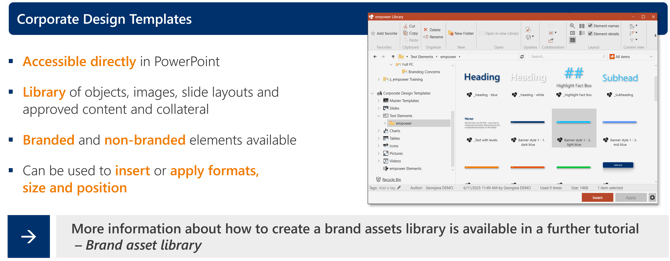
Design asset folders
|
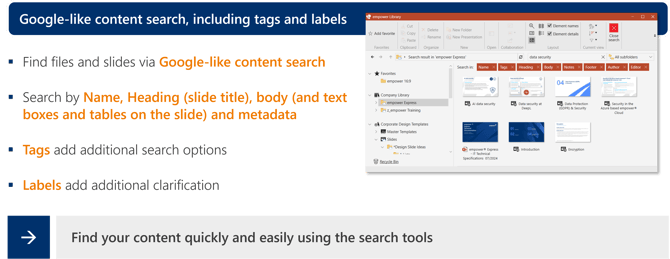
Searching the library folders
|
02. Generic design elements
Access our empower design element folders for additional ideas for shapes, slides, charts and tables.
Also available is access our Icons8 icon library and the UnSplash image library add-in.
03. Design Slide Ideas library
Use the Design Slide Ideas library to get ideas for new slide layouts, concepts and diagrams.
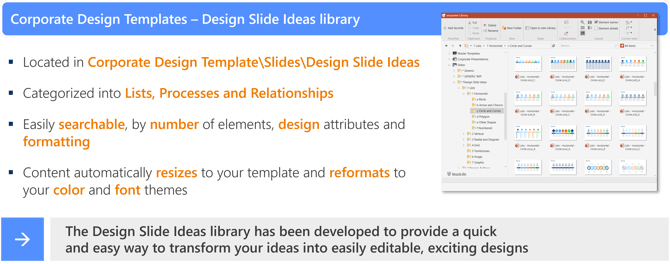
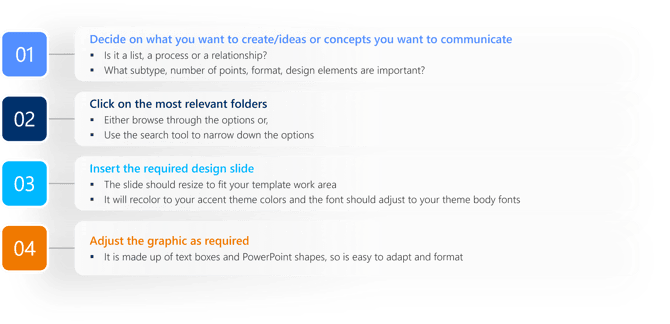
How to work with the Design Slide Ideas Library
|
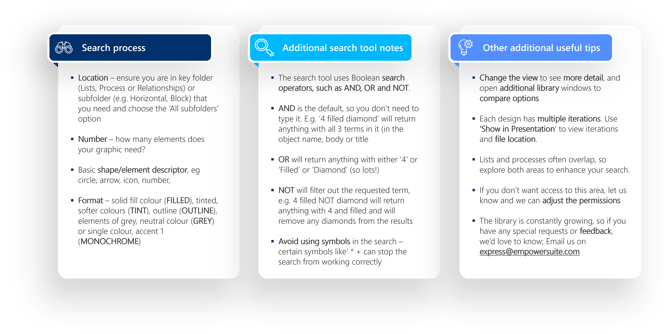
Top tops for working with the Design Slide Ideas
|
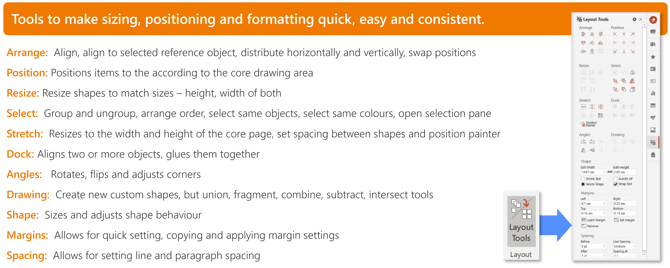
04. Layout tools
Use the layout tools to make formatting and working with shapes in PowerPoint, easier, faster and more consistent.
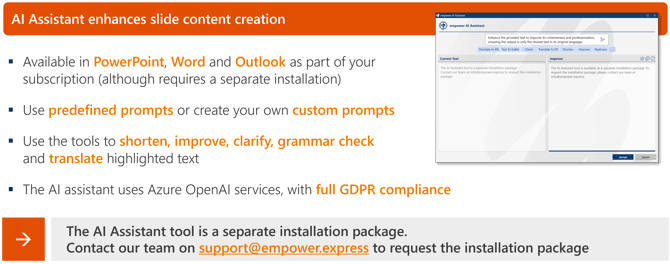
05. AI Assistant
Use the AI Assistant tool to shorten, improve, clarify, grammar check, summarize, and translate text as well as many other text improvement tools.
Watch this video for more details on how to use empower® tools to create strong, dynamic content, on brand

 Book a call or a meeting to learn how empower® Express can help you and arrange a demo
 Contact us (support@empower.express) if you have any questions
 Click here to learn more and sign up for a free trial
 Click here to book a call with our technical support team