
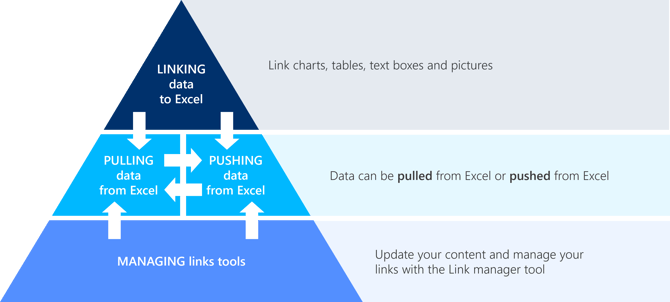
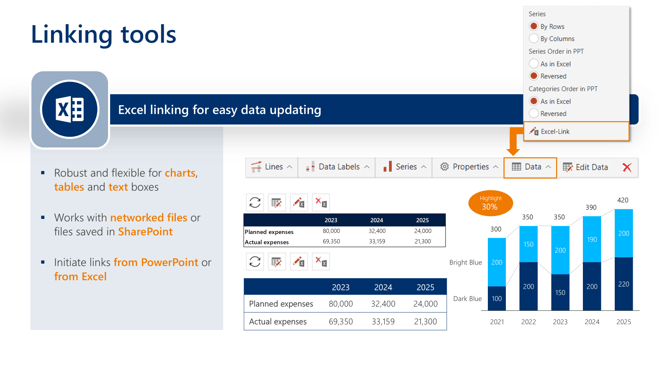
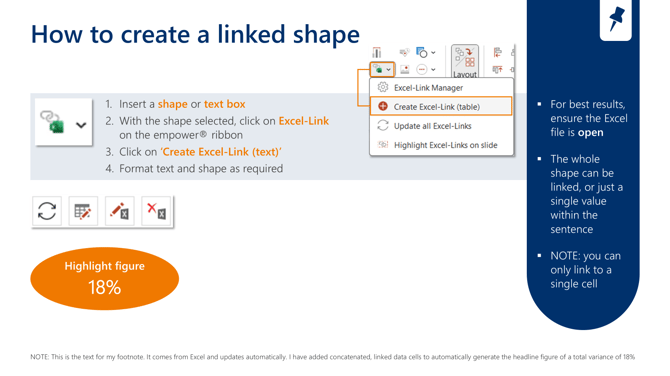
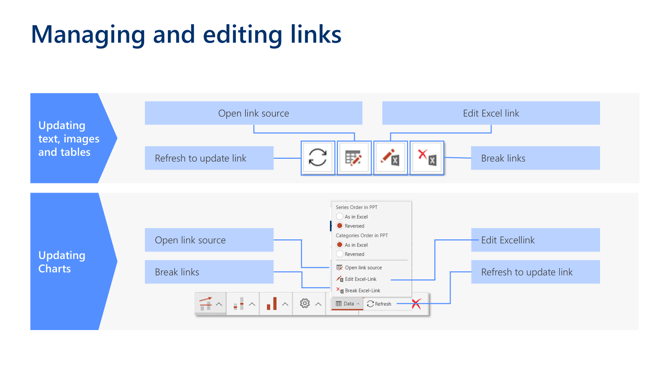
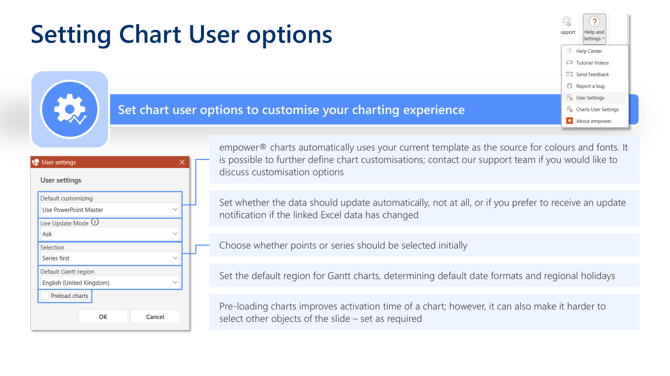
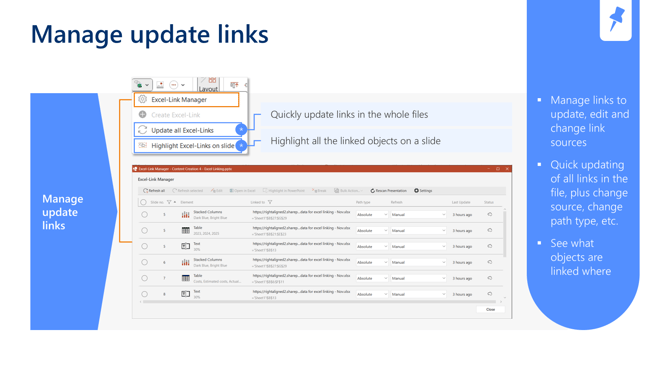
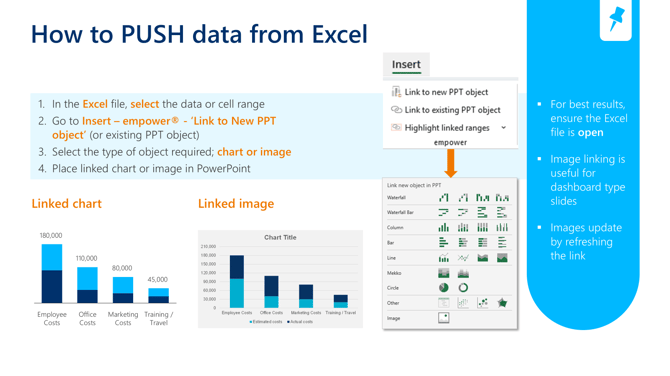
empower® provides tools to link charts, tables, text boxes, and images to Excel for automatic updates. Data can be pulled from or pushed to Excel, ensuring synchronization between files. Managing links is facilitated through the Link Manager tool, allowing updates and edits.
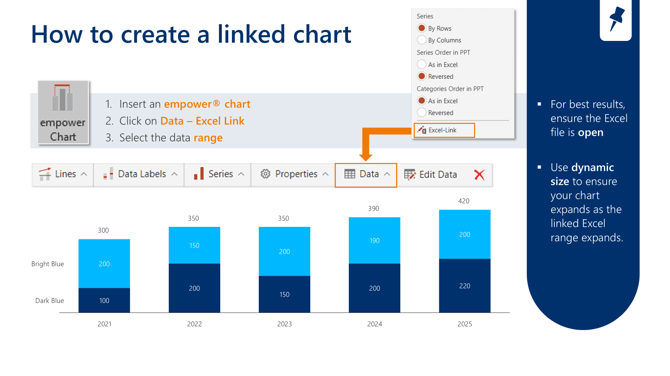
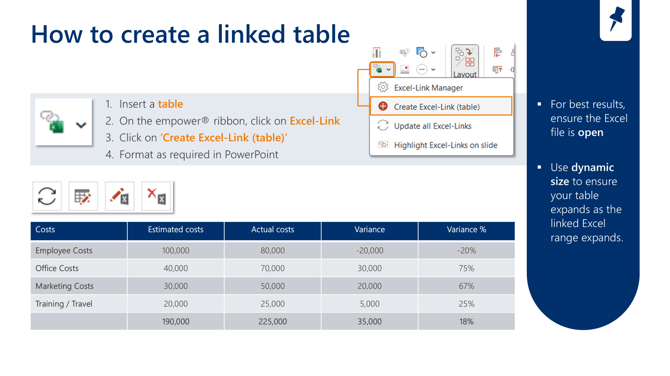
empower® has a range of linking tools to make updating your Excel data efficient and accurate
Process and tools
 |
 |
 |
 |
 |
|
|
 |
Watch this video for more details on how to use empower® tools to link and manage Excel data, charts, tables and text in PowerPoint

 Book a call or a meeting to learn how empower® Express can help you and arrange a demo
 Contact us (support@empower.express) if you have any questions
 Click here to learn more and sign up for a free trial
 Click here to book a call with our technical support team