
empower® Express has four main tools to protect and promote your brand, that work together to ensure it is easy and efficient to protect your brand while producing effective and successful slides and presentations.
Four tools to protect and promote your brand
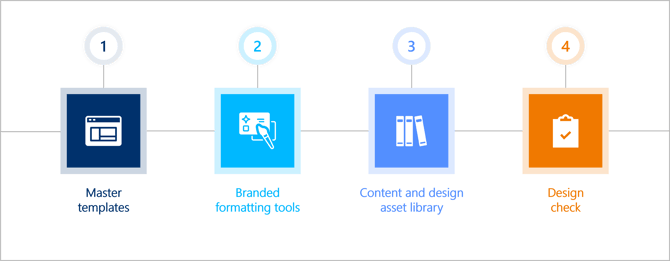
Master templates
A well-designed template is key for effective brand protection and simplifies the presentation creation process.
empower® Express master templates are easy to update and distribute automatically. They offer multiple template options, all visually and easily accessible directly in PowerPoint. Users can set their preferred company template as their default, so the latest version always launches automatically when PowerPoint is opened.
Branded formatting tools
When we implement your template, we also set the formatting tools with your brand defaults, so your colours, fonts and bullets. This makes it is easier and more efficient for users to use the correct styles and formats - no more time wasting, no more guesswork.
Content and Design asset library
Create an library of assets and easy to update and approved content slides. Visual and direct, all assets are accessible within PowerPoint. Create a strong folder structure and permission model, so content is easy to find and protect. Use empower®'s google-like search to find content.
Design check tool
Use the empower® design check tool to easily find and correct any branding issues, such as colours, fonts, bullets and title formats.
Watch this video for more details on how to use empower® tools to protect, distribute and strengthen your brand:

 Book a call or a meeting to learn how empower® Express can help you and arrange a demo
 Contact us (support@empower.express) if you have any questions
 Click here to learn more and sign up for a free trial
 Click here to book a call with our technical support team