
Let's take a deeper look at what you can do with your content in the library and the many ways you can view it.
Actions
|
Views
|
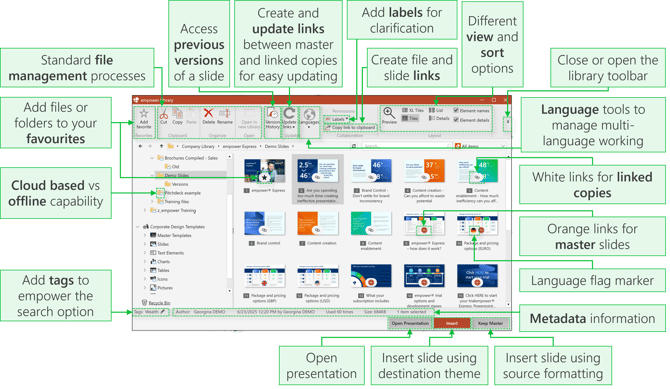
Watch this video for more details on the library tools in empower®:

 Book a call or a meeting to learn how empower® Express can help you and arrange a demo
 Contact us (support@empower.express) if you have any questions
 Click here to learn more and sign up for a free trial
 Click here to book a call with our technical support team